Draw AR : Trace to Sketch4.0
Publisher Description
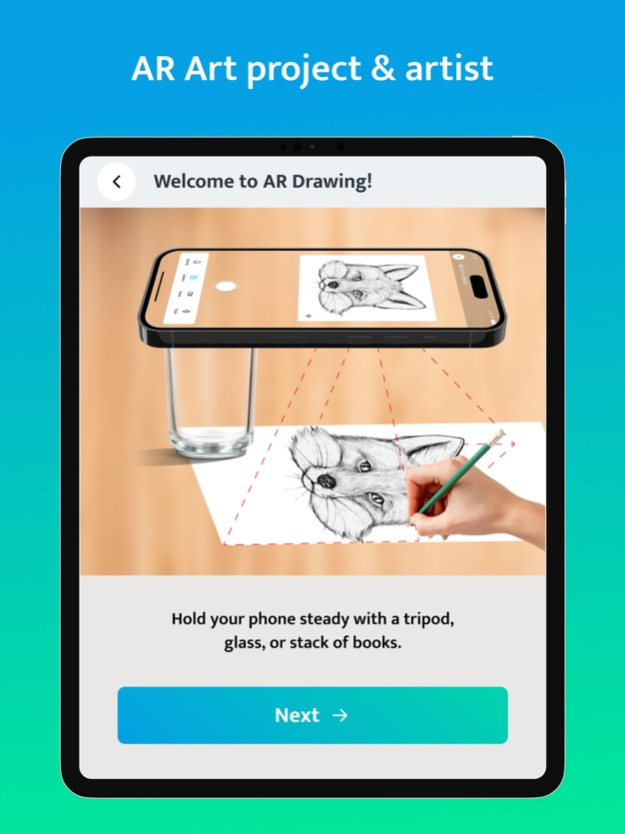
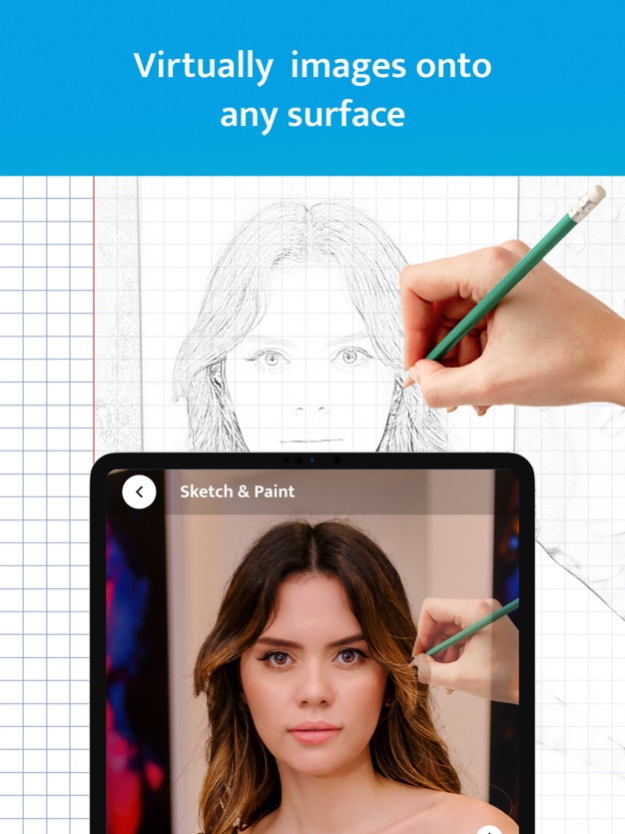


Draw AR : Trace to Sketch is a tool that will help you transfer to paper any image you have on your device or any image you capture with your camera making your device act as a camera or as a projector.
• Use your phone camera to trace & draw the paint.
• Lots of tracing templates: Animals, Cars, Nature, Food, Aesthetics, people etc.
• Make a sketch and enjoy it
• Built-in flashlight
• Save your drawing in the Photos App.
• You can save video of the drawing and save it in 1x, 2x, 3x speed.
• Record a video of the drawing and painting process
Draw AR : Trace to Sketch is an innovative mobile app that helps you learn to draw and allows to create stunning drawings and paintings using augmented reality technology. You can draw anything you want on any surface.
For more information :
Privacy Policy : http://sv-solitaire.com/privacy_policy.html
Terms of Use : http://sv-solitaire.com/terms_of_use.html
Jan 3, 2024
Version 4.0
-Fixed Bugs.
About Draw AR : Trace to Sketch
The company that develops Draw AR : Trace to Sketch is SV SOLITAIRE PRIVATE LIMITED. The latest version released by its developer is 4.0.
To install Draw AR : Trace to Sketch on your iOS device, just click the green Continue To App button above to start the installation process. The app is listed on our website since 2024-01-03 and was downloaded 9 times. We have already checked if the download link is safe, however for your own protection we recommend that you scan the downloaded app with your antivirus. Your antivirus may detect the Draw AR : Trace to Sketch as malware if the download link is broken.
How to install Draw AR : Trace to Sketch on your iOS device:
- Click on the Continue To App button on our website. This will redirect you to the App Store.
- Once the Draw AR : Trace to Sketch is shown in the iTunes listing of your iOS device, you can start its download and installation. Tap on the GET button to the right of the app to start downloading it.
- If you are not logged-in the iOS appstore app, you'll be prompted for your your Apple ID and/or password.
- After Draw AR : Trace to Sketch is downloaded, you'll see an INSTALL button to the right. Tap on it to start the actual installation of the iOS app.
- Once installation is finished you can tap on the OPEN button to start it. Its icon will also be added to your device home screen.
Program Details
System requirements
Download information
Pricing
Version History
version 4.0
posted on 2024-01-03
Jan 3, 2024
Version 4.0
-Fixed Bugs.
version 3.1
posted on 2023-11-22
Nov 22, 2023
Version 3.1
- Added new sketch categories.
- Fixed bugs related to AI Sketch Generator.
version 3.0
posted on 2023-11-09
Nov 9, 2023
Version 3.0
- Added new functionalities like AI Art Generator, Photo Illustration, Vector Image.
- Added painting feature.
- Solved crashes and fixed minor bugs
version 2.1
posted on 2023-10-02
Oct 2, 2023
Version 2.1
- Added a functionality to create an sketch image using AI Prompt to later trace it.
- Fixed crashes.
version 2.0
posted on 2023-09-03
Sep 3, 2023
Version 2.0
- Added localisations to the app.
- Fixed crashes & solved bugs.
version 1.1
posted on 2023-07-11
Jul 11, 2023
Version 1.1
- Fixed video recording crashes.
- Fixed orientation.
- Solved bugs.
